Last updated · Read Markdown
Publishing schedule and calendar
How do I choose when articles publish? #
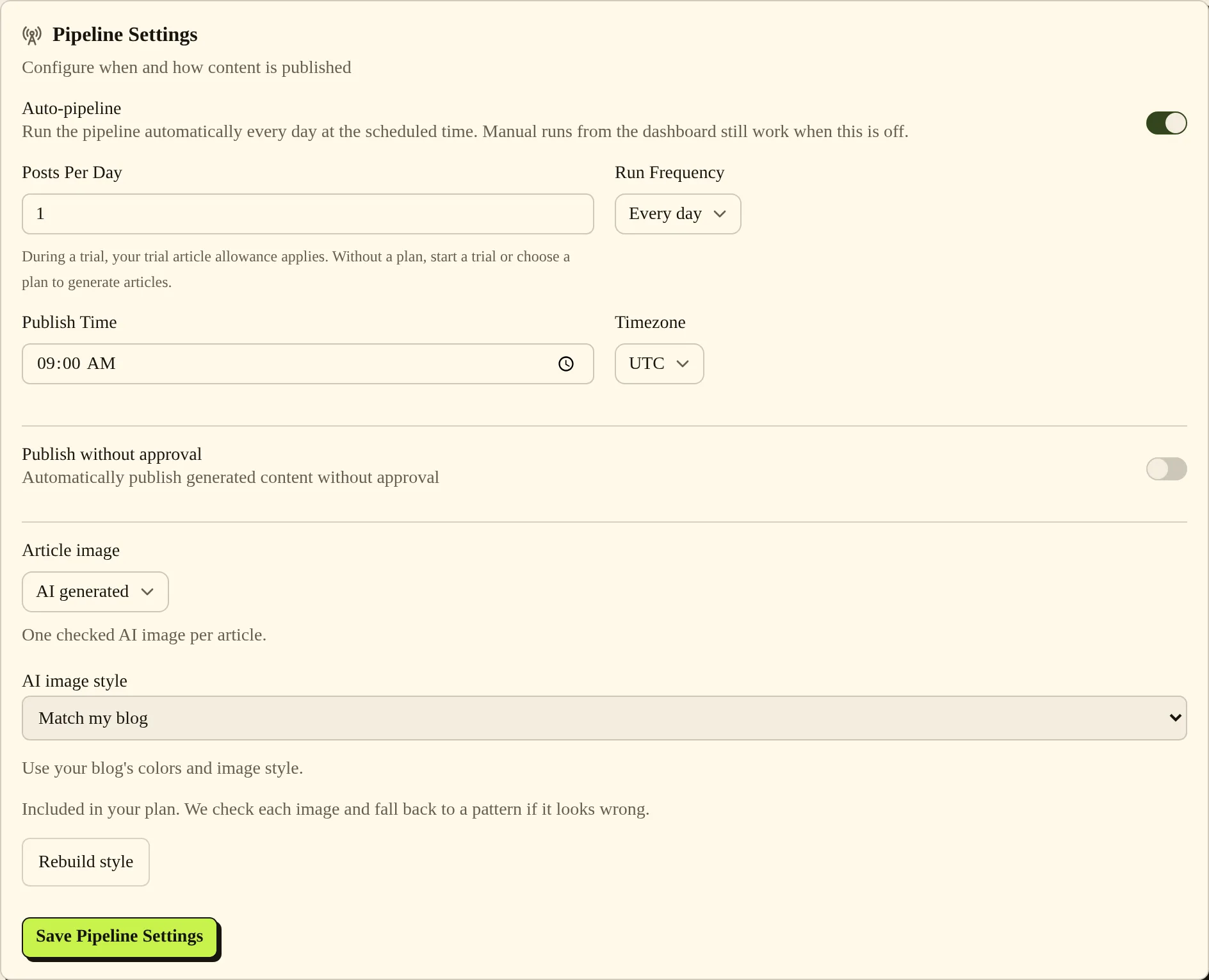
Open Settings, then Pipeline Settings, to set Run Frequency, Publish Time and Timezone for automatic runs. Choose Save Pipeline Settings. For an individual draft, use Approve & Publish and choose the suggested slot, Publish right now or a custom time. Your monthly article allowance still applies.
When to use it #
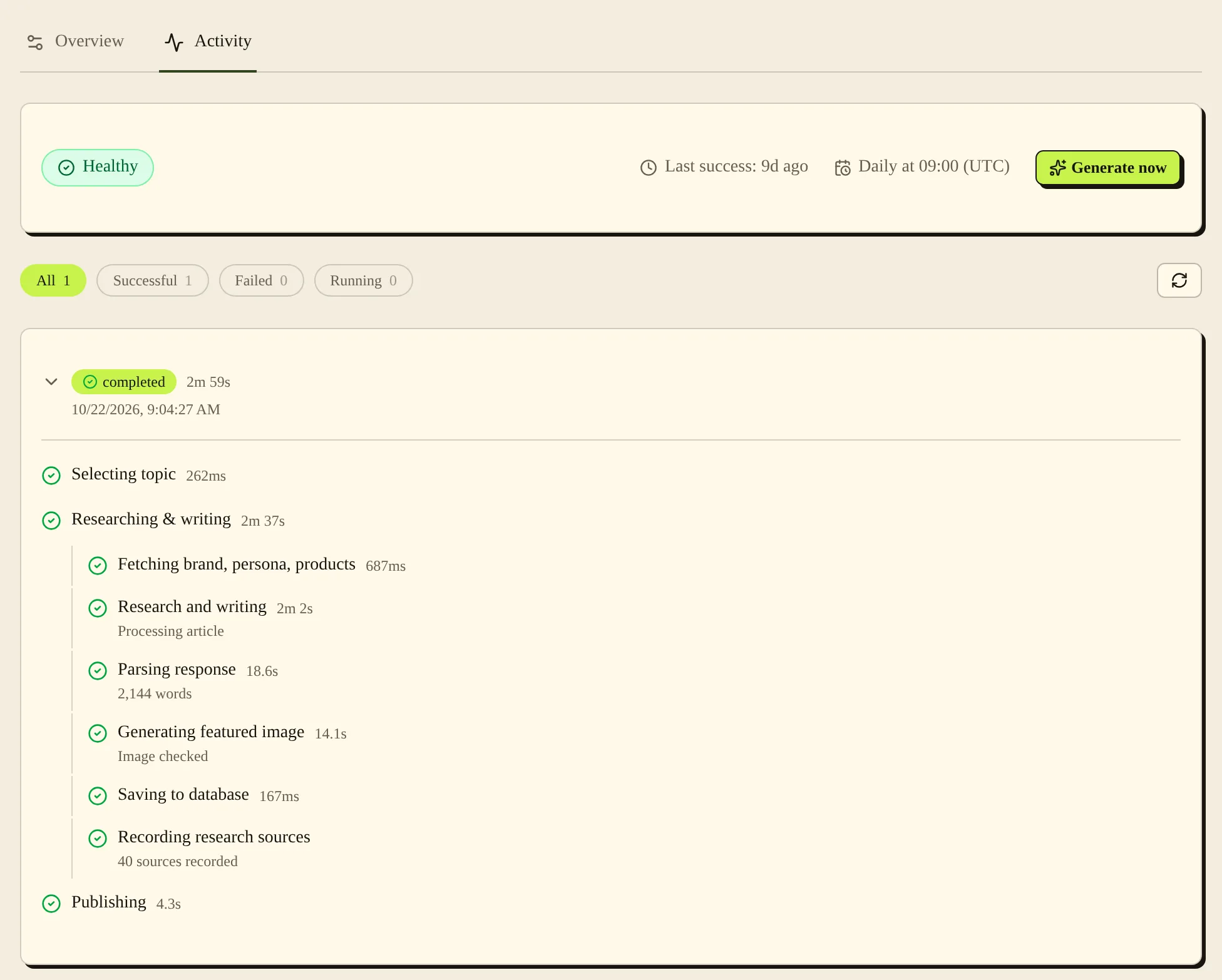
Use pipeline settings for your regular writing schedule. Use the approval dialog when you want to choose the time for a specific draft. Open Ideas, then Used, to see the dated topic history, and pipeline Activity to inspect runs.
Steps #
- Open Settings, then Pipeline Settings. Turn Auto-pipeline on if you want automatic runs. You can only change the schedule fields below it while it is on.

- Check Posts Per Day, Run Frequency, Publish Time and Timezone. Choose whether to enable Publish without approval, then choose Save Pipeline Settings.
- For a draft you have read, open Articles, then To review, and choose Approve & Publish.
- Choose Schedule for the suggested slot, Publish right now, or Pick a custom time and Schedule. Check the time and timezone shown before you confirm.
- Check Published for article status. For run details, open the Content pipeline card in Settings, then Activity. For topic history, open Ideas, then Used.
Settings #
| Option | What it changes |
|---|---|
| Auto-pipeline | Turns automatic runs on or off. Articles you start yourself from New article still run when it is off. |
| Posts Per Day | Sets the number of articles requested for scheduled publishing, from 1 to 5. It does not increase your monthly allowance. |
| Run Frequency | Sets the gap between automatic runs. |
| Publish Time | Sets the scheduled time in the selected timezone. |
| Timezone | Sets which local time the schedule uses: Eastern, Central, Mountain, Pacific, London or UTC. |
| Publish without approval | Publishes new articles without waiting for your approval. |
| Schedule for | Uses the next available slot based on the blog's schedule and existing scheduled or published posts. |
| Publish right now | Requests immediate publication instead of waiting for the next slot. |
| Pick a custom time | Sets a future time for this article. |
In Activity, Research and writing is the stage where PostSprout researches the topic and writes the article. Image checked means the featured image passed its check.
Plan limits #
As of November 2026, the initial cadence is every 3 days for Sprout and daily for Grove and Greenhouse, based on one article per run. You can choose a different available frequency. Account article limits still apply across the blogs covered by your plan. See Plans and billing.
Trial and no-plan accounts see trial guidance in Settings instead of a paid monthly plan allowance. Check Plan & Billing for your current status.
Common problems and fixes #
If the time looks wrong, check Timezone as well as Publish Time. A scheduled article goes live at its time, so check Published after that.
If automatic runs have stopped, check Auto-pipeline, the plan allowance and pipeline Activity. If an upgrade asks which cadence to use, read both choices before keeping your schedule or switching to the offered one.
Related pages #
Articles and the editor · Ideas · Images and product images · Notifications · Plans and billing · How PostSprout works
Was this page helpful?