Last updated · Read Markdown
Team members and roles
How do I give a teammate access to my blog? #
As the blog owner, open Settings, then Team. Under Invite a teammate, enter their Email, choose a Role and choose Send invite. They follow the email link to register or sign in and accept. The invitation gives access to that blog, which they can select from the blog switcher.
When to use it #
Use invitations when another person needs to review or write articles, manage the blog, or read its content. Choose the role based on the work they need to do. Check the active blog before sending an invitation.
Steps #
- Open Settings, then Team, and check Members for people who already have access.

- Under Invite a teammate, enter Email and choose Role: Owner, Editor or Viewer.
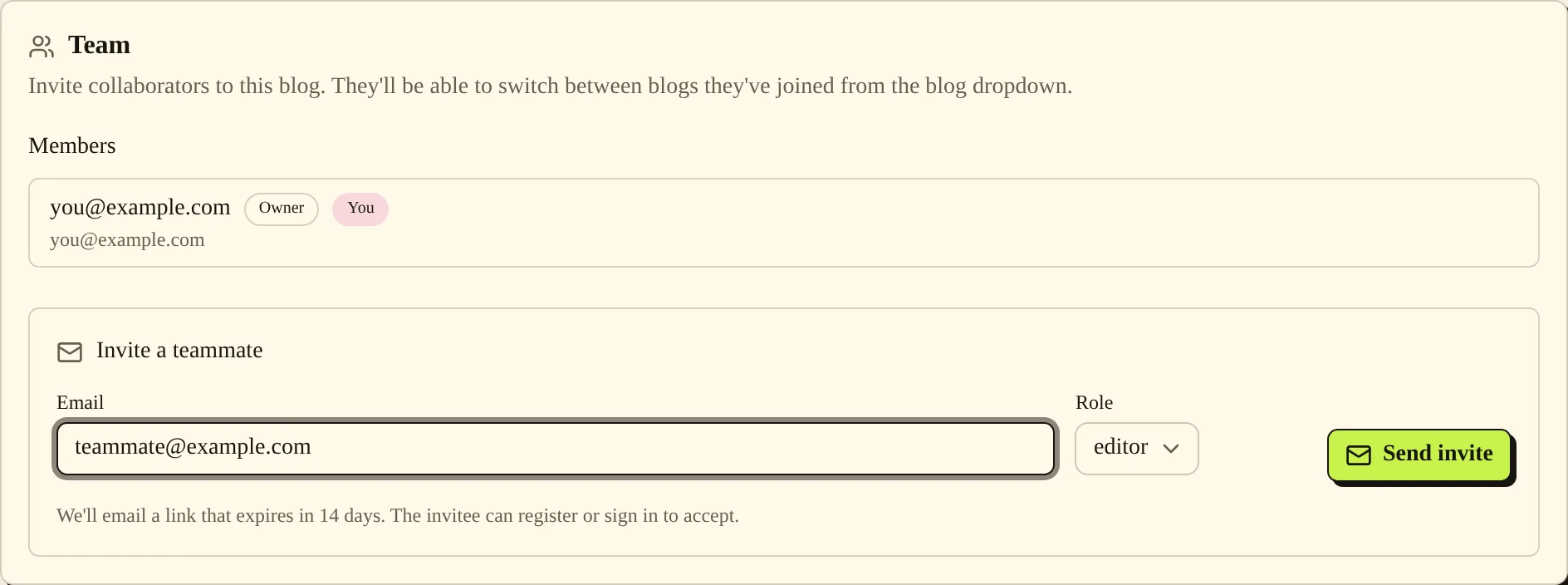
- Choose Send invite. Check Pending invites. Use Resend if the invitation exists but the email did not send.
- Ask your teammate to open the invitation link, sign in or register, and accept. They can then select the blog in their blog dropdown.
Settings and roles #
| Option or role | What it changes |
|---|---|
| Owner | Can manage membership and sensitive blog settings, including publishing connections, destinations and billing controls. |
| Editor | Can change content and day-to-day configuration. Owner-only connection and membership actions remain restricted. |
| Viewer | Can read the blog's dashboard content. Content-writing actions are refused. |
| Sets who receives the invitation. | |
| Role | Sets the invited person's access to this blog. |
| Resend | Sends the pending invitation again. |
| X next to a pending invite | Revokes (cancels) the invitation after you confirm. |
Invitation limits #
As of November 2026, invitation links expire after 14 days. An expired link shows “This invite has expired”. Send a new invitation instead.
Common problems and fixes #
“Invite created, but the email didn't send. Use Resend to try again.” means the pending invitation exists. Check Pending invites and choose Resend.
If you cannot see the invite form, check your role in Members. Only owners can manage invitations. If an accepted teammate cannot find the expected articles, ask them to select the correct blog.
“You do not have permission to change this blog.” means your role does not permit the requested change. Ask the owner to check the access you need.
Related pages #
Brand voice and authors · Notifications · Plans and billing · Troubleshooting and FAQ
Was this page helpful?