Last updated · Read Markdown
Plans and billing
How do I check my plan, limits and billing? #
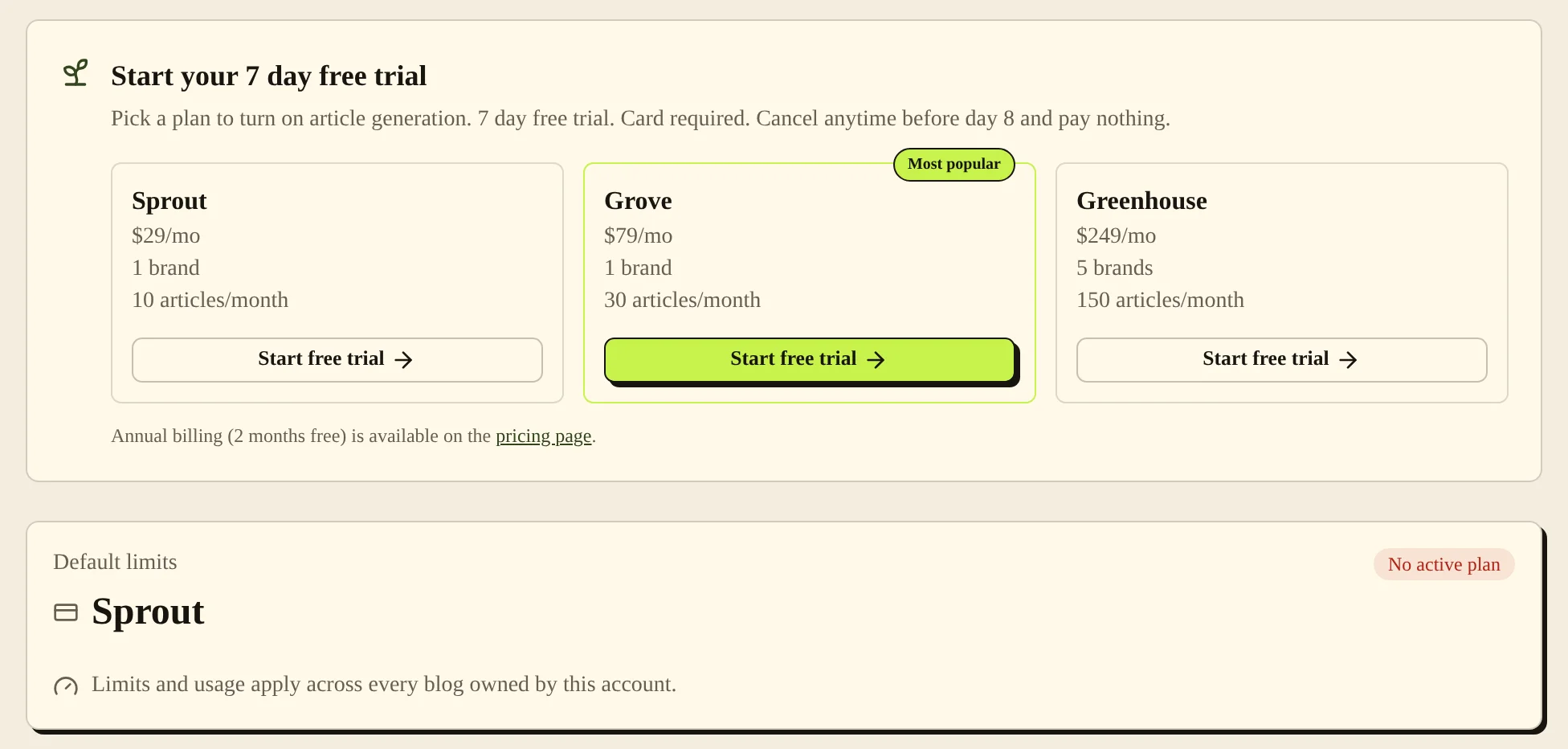
Open Plan & Billing to see Plan & Usage: your current plan and the usage shared across your account's blogs. When you reach a limit or your plan is not active, Home shows a plan banner. There, the owner can choose Manage or upgrade plan to open Stripe's billing portal, or the store's billing settings if Shopify bills you.
When to use it #
Use the plan page before adding a blog or starting more articles. Check billing when generation is blocked by a subscription message. Use the pricing page to compare the currently offered plans and billing intervals.
Prices and allowances #
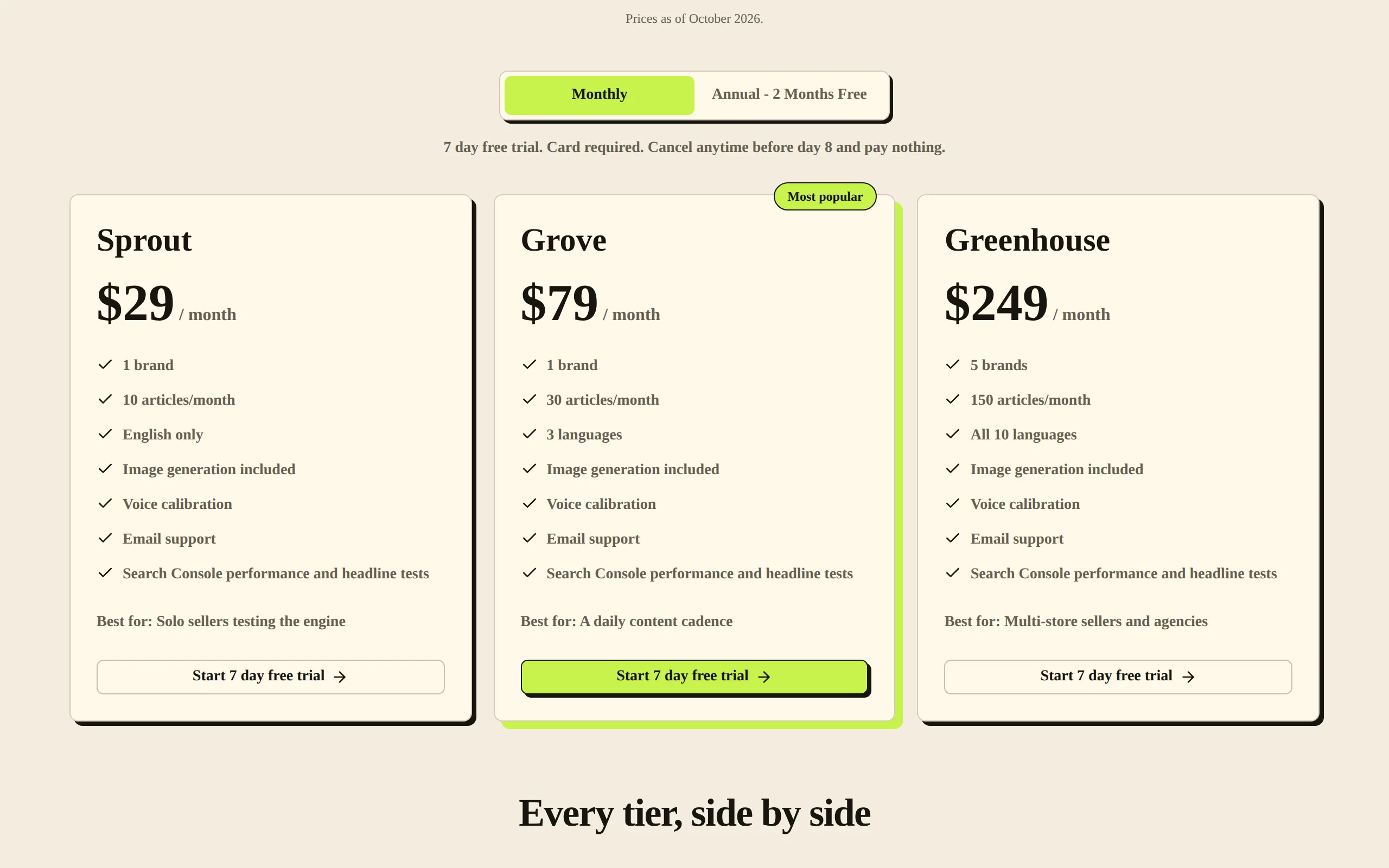
As of November 2026, prices are in US dollars:
| Plan | Monthly billing | Annual billing | Brands | Articles per month |
|---|---|---|---|---|
| Sprout | $29/month | $290/year | 1 | 10 |
| Grove | $79/month | $790/year | 1 | 30 |
| Greenhouse | $249/month | $2,490/year | 5 | 150 |
Annual billing costs the same as 10 months. Article allowances still reset each month. All blogs on your account share one allowance, so Greenhouse gives 150 articles a month in total, not 150 per blog.
If your account qualifies, checkout starts with a 7-day free trial, and you can write 3 articles during the trial. Checkout asks for a card. A Shopify store gets the trial once. Your free first article is separate from the trial.
Steps #
- Open Plan & Billing and check the plan name and status on Plan & Usage.
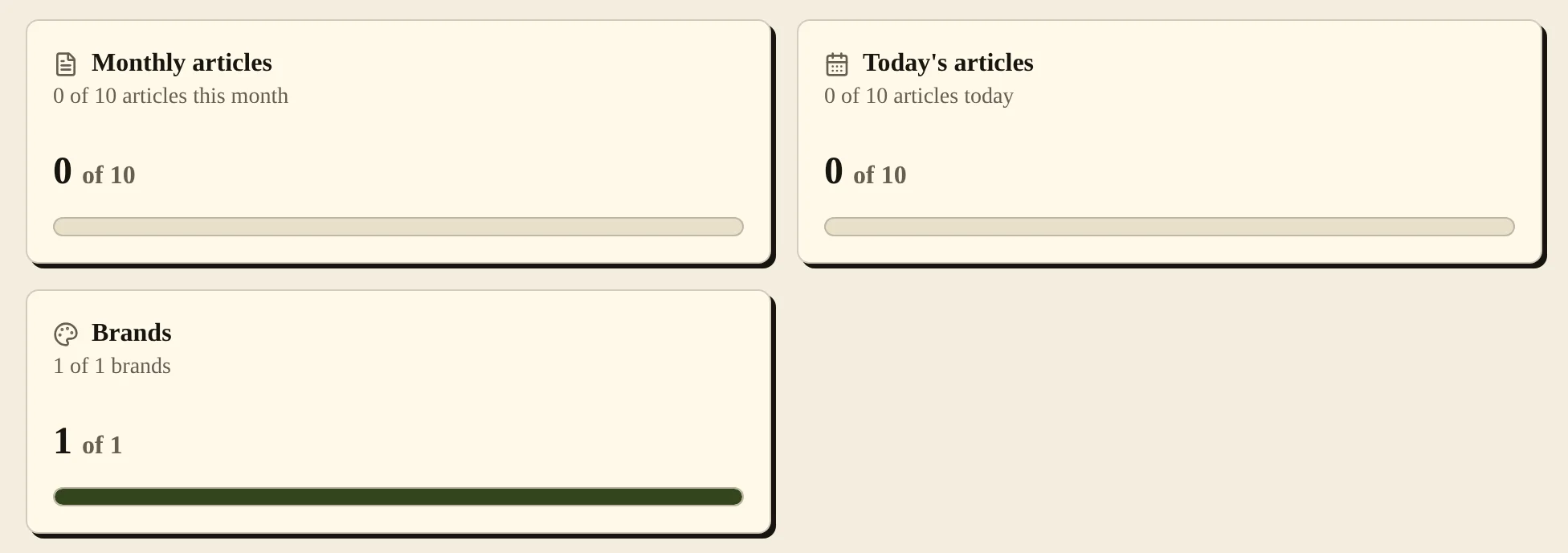
- Check Monthly articles, Today's articles and Brands. If you are on a trial, also check Trial articles. Usage includes articles currently generating.
- To start a plan, choose a plan from the pricing page or the Start your 7 day free trial card when it appears. Check the billing interval and checkout details before approving payment.
- To manage an existing subscription, use Manage or upgrade plan in the plan banner on Home when it shows. Stripe-billed accounts open Stripe's billing portal. Shopify-billed accounts open the store's billing settings.
Plan controls #
| Control or meter | What it changes or shows |
|---|---|
| Monthly and Annual on pricing | Choose the billing interval for checkout. |
| Monthly articles | Shows this month's account article usage, including current generation reservations. |
| Today's articles | Shows today's article usage against the displayed limit. It is not an additional monthly allowance. |
| Trial articles | Shows trial article slots used or reserved. |
| Brands | Shows brands used within the account's allowance. |
| Manage or upgrade plan | Opens the billing destination for the account owner to manage the subscription. |
On a paid plan, you can regenerate up to 10 articles a day across your account. Regeneration does not use your monthly allowance. During a trial, each regeneration counts toward the 3 trial articles.
Common problems and fixes #
“Monthly article limit reached” means the account's monthly allowance is used or reserved by articles still writing. Wait for next month, or move to a larger plan.
“Your trial is still being verified. Please try again shortly.” means PostSprout is still checking the card for your trial. Try again later. Repeating the request does not speed up the check.
“Your subscription is not active. Update billing to generate articles.” means generation needs an active subscription. Use the billing controls as the owner to check or restore the subscription.
If you cannot manage billing, check your role. Collaborators need an owner to make billing changes.
Related pages #
Articles and the editor · Publishing schedule and calendar · Team members and roles · Troubleshooting and FAQ
Was this page helpful?